
.gif)
.gif)

Sales roles are inherently bound by time-sensitivities. Reps have to stay on top of momentum and capture client interest before a competitor can swoop in. The time that deck creation and customization can take from the pipeline has a tangible impact on revenue. So how can reps balance the demands of pitch decks and demo presentations with deal speed?
Sales teams need a tool that can reduce time-to-deck while still producing client-worthy output. Beautiful.ai is built for teams of non-designers who need to create iterable, polished decks quickly. Your sales deck workflow deserves a refresh capable of streamlining creation, brand alignment, and tailoring. Beautiful.ai does just that.
Smart templates that eliminate starting from scratch
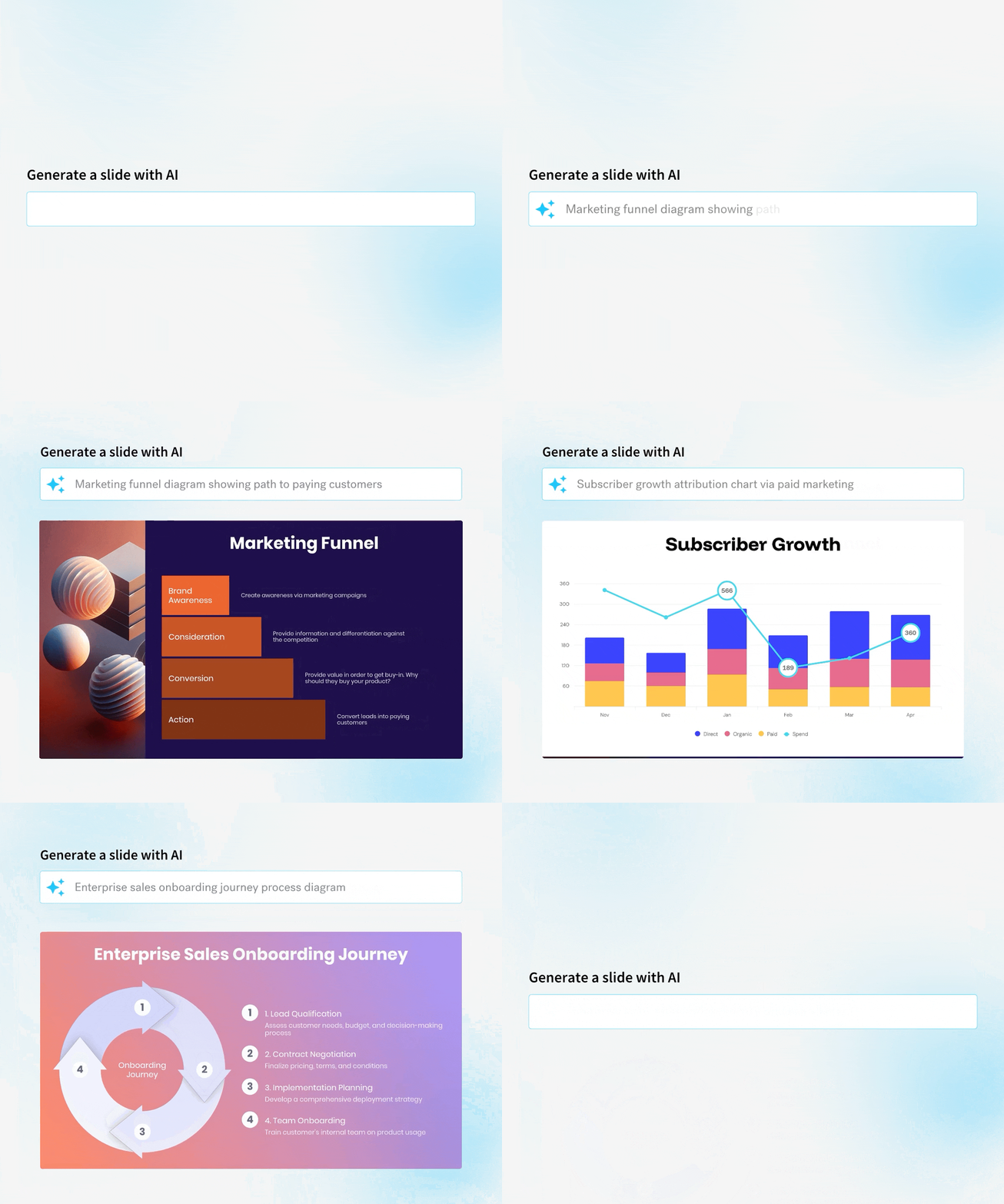
A blank slide creates work before a rep has written a single word. Beautiful.ai gives sales teams a faster starting point with presentation templates and dozens of Smart Slide layouts for common formats like comparisons, timelines, data, quotes, and image grids.
For sales teams, that means a rep can start with a proven structure and adapt it to the opportunity at hand. They don’t have to decide how every slide should be organized before starting work on the actual pitch. Beautiful.ai also has dedicated sales presentation templates that teams can customize for their own workflows.
The payoff is straightforward: reps get to a solid first draft faster, and the deck starts from a stronger design baseline.
AI-powered content generation
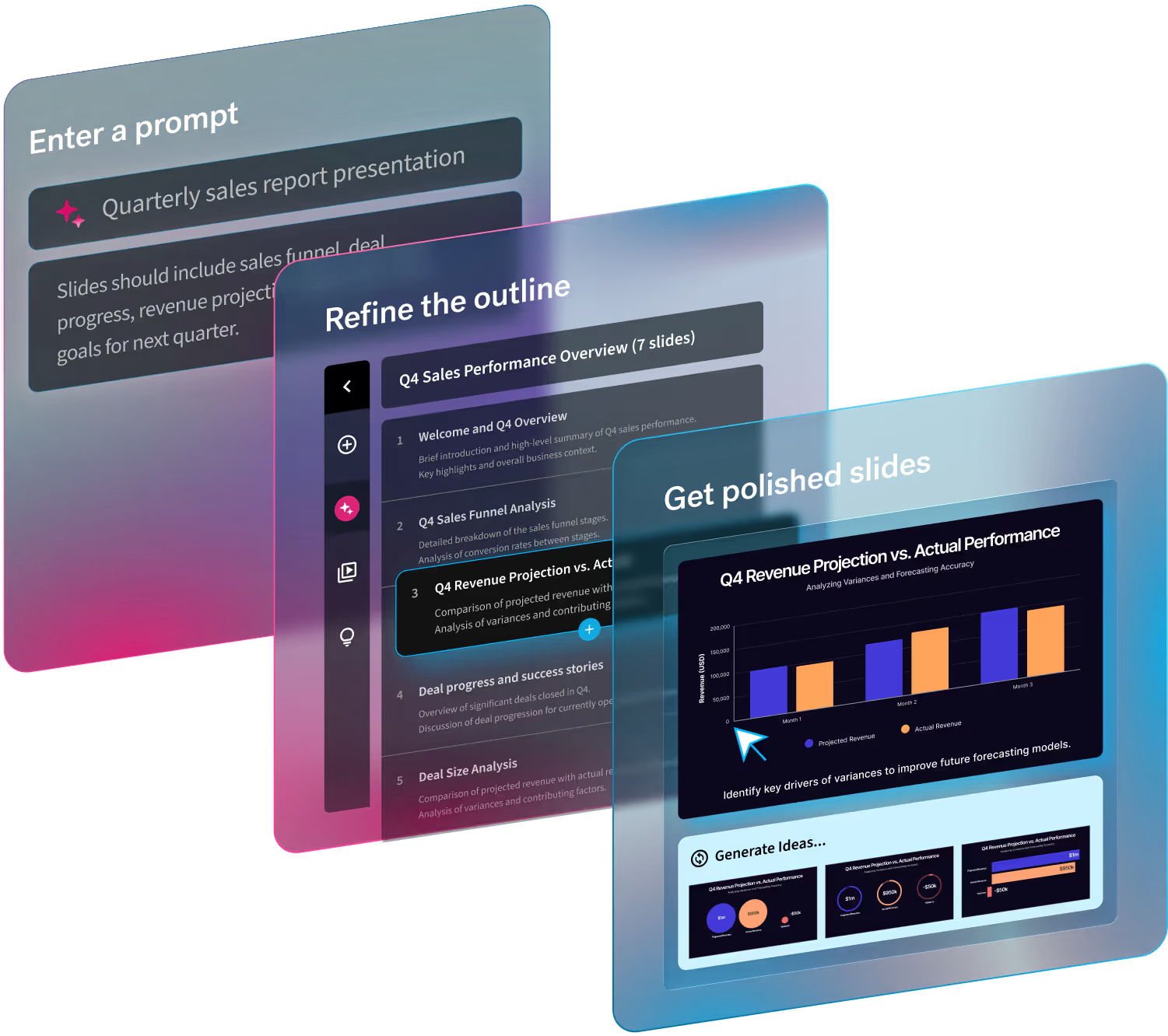
Sometimes the bottleneck is the slide design. Other times, it is figuring out what to say after a discovery call. The Create with AI Workflow can start from a prompt, detailed instructions, an existing outline, or supporting documents. It generates a slide-by-slide outline before moving into design, giving reps a chance to review the story and make changes before the deck is built.
A rep can bring in the context they already have about an account and use AI to organize it into a draft. If a section needs work, they can revise the outline, rewrite copy, or generate alternatives for an individual slide instead of rebuilding the presentation. The AI can also generate, rewrite, and refine content directly within Smart Slides.
That makes it useful for tightening a headline, shortening a text-heavy slide, or reworking messaging for a different audience. The rep still owns the pitch. AI simply shortens the distance between raw information and a presentation they can edit.
Built-in design intelligence
Sales reps should not have to become presentation designers to send a credible follow-up.
Smart Slides automatically adjust layout and spacing as content changes. Add copy, remove a point, swap an image, or change the structure and the slide realigns and resizes around the new content. Unnecessary manual formatting is replaced with the work that matters, like checking whether the value proposition is clear and the proof points are convincing.
Team-level brand controls add another layer of consistency. Organizations can define fonts, colors, logos, layouts, and other brand elements with Brand Kits. Beautiful.ai also supports reusable, locked Team Slides, so sales teams can work inside approved design standards without checking every visual decision with marketing.
Easy personalization at scale
A prospect who just spent 45 minutes explaining their priorities should not receive the same generic deck as everyone else. Beautiful.ai gives reps a practical way to customize the parts of a sales story that matter without rebuilding the whole thing. A team can keep core elements and message intact, while seamlessly adapting sections around the buyer’s specific background and needs
Shared Team Slides are particularly useful here. Sales enablement or marketing can create approved slides and templates that reps reuse across presentations. Reps can then assemble the pieces that fit the opportunity instead of hunting through old decks for something close enough.
The AI workflow can help with the tailoring itself. Give it account context or supporting material, review the proposed story, and refine individual slides where the pitch needs to become more specific. That makes personalization a repeatable part of deck creation instead of a last-minute rewrite.
This approach also gives enablement teams a useful middle ground: control the content that should remain fixed while leaving room for reps to sell to the buyer in front of them.
Centralized content and templates
Sales content gets messy quickly. Variability in up to date information, ever-shifting customer branding and context, and important information lost to the maze of your downloads folder can feel inevitable.
Team workspaces are designed to combat brand and messaging drift by giving organizations centralized slide and template libraries, shared assets, version control, and locked slides. That reduces duplicate work and makes it easier for reps to find the current version instead of recycling whatever happens to be on their laptop.
There is also an operational benefit when information changes. Beautiful.ai supports synced slides and centralized libraries, helping teams reduce the chance that outdated information continues circulating through customer-facing decks.
Fast iteration and updates
Sales decks rarely survive untouched from discovery to close. A buyer raises a new objection. Another stakeholder joins the process. Pricing changes. But those changes should not trigger a redesign. Because Smart Slides respond as content changes, reps can edit a slide without manually rebuilding its layout.
In the hours after a sales call, a rep can update the deck around what they just learned, replace irrelevant content, add a more appropriate proof point, and send a tailored follow-up while the conversation is still fresh.
Teams can also update shared presentation resources centrally. Beautiful.ai's Brand can push theme changes to presentations already using them, while reusable and shared slide systems give teams a way to maintain commonly used content from a central source.
Collaboration across teams
A sales deck may belong to an AE, but it rarely contains only sales input. Marketing owns positioning and brand. Product knows the details. Leadership may need to approve pricing or executive messaging. Cross-functional collaboration is inevitable.
Beautiful.ai keeps that work in a shared workspace. Team members can edit presentations live, assign slides, leave comments, and track changes instead of circulating multiple versions through email or Slack.
For a high-value pitch, an AE can tag the right teammate directly in the deck, collect feedback where the issue appears, and make the change without creating another file called Final_Sales_Deck_v7.
Close deals faster with the right system
Taken together, these features remove a lot of the administrative work surrounding sales presentations. Reps spend less time starting decks, formatting slides, searching for approved content, and coordinating edits. Instead, they’re able to follow up faster while still giving buyers a presentation that is relevant, current, and consistent with the company brand. Beautiful.ai turns presentation creation from a bottleneck and time suck into competitive advantage for deal velocity.
Fast sales teams remove avoidable friction from the work surrounding the sale. Presentation creation can be a blocker that leads to a quick build up of friction in the sales process. Beautiful.ai gives sales organizations a repeatable system for creating decks. Reps still decide what will move the buyer forward. They just spend less time going from story to slide. For teams producing pitches, demos, proposals, and follow-up decks every week, those saved steps can mean a quicker response to the buyer and more time back for selling.
Start your free 14-day trial today and build your next sales deck in Beautiful.ai.

.avif)


.gif)
.avif)
