

Keep your deck and your data in the same place
Deck creation doesn’t exist in a vacuum, and seldom can it be executed using just the information off the top of your head. More often than not, presentations are informed by meeting notes, tied to preexisting data sets, or require branded content that lives externally.
Regardless of the source, separating brand assets from your presentation platform can turn a simple task into a string of small interruptions. Eventually, that time spent hunting down assets can add up.
In Beautiful.ai, asset integrations shorten the process by connecting presentations directly to the DAM and storage tools teams already use. Instead of moving files between platforms, you can pull approved assets into your slides while you’re building them.
Getting connected
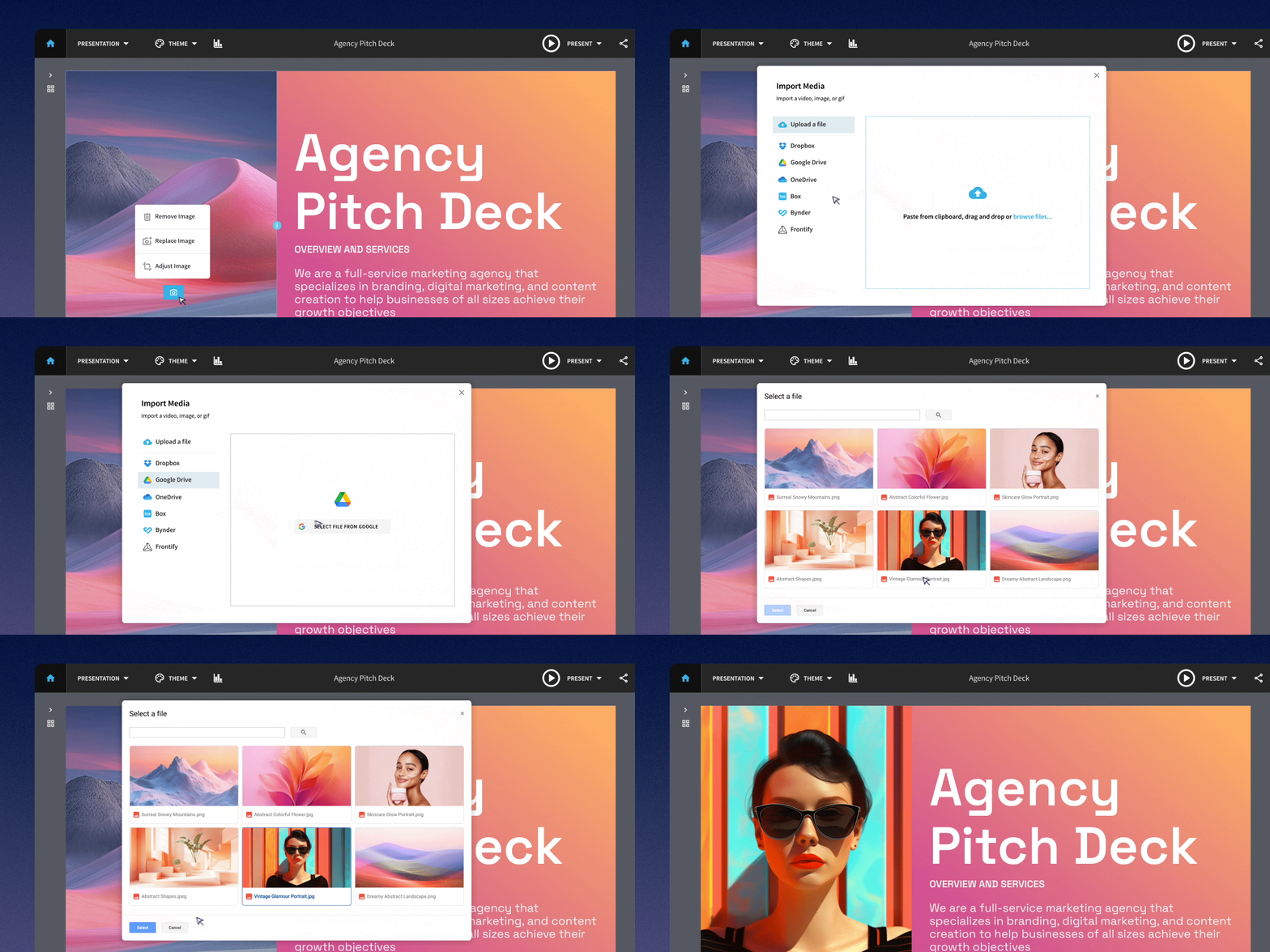
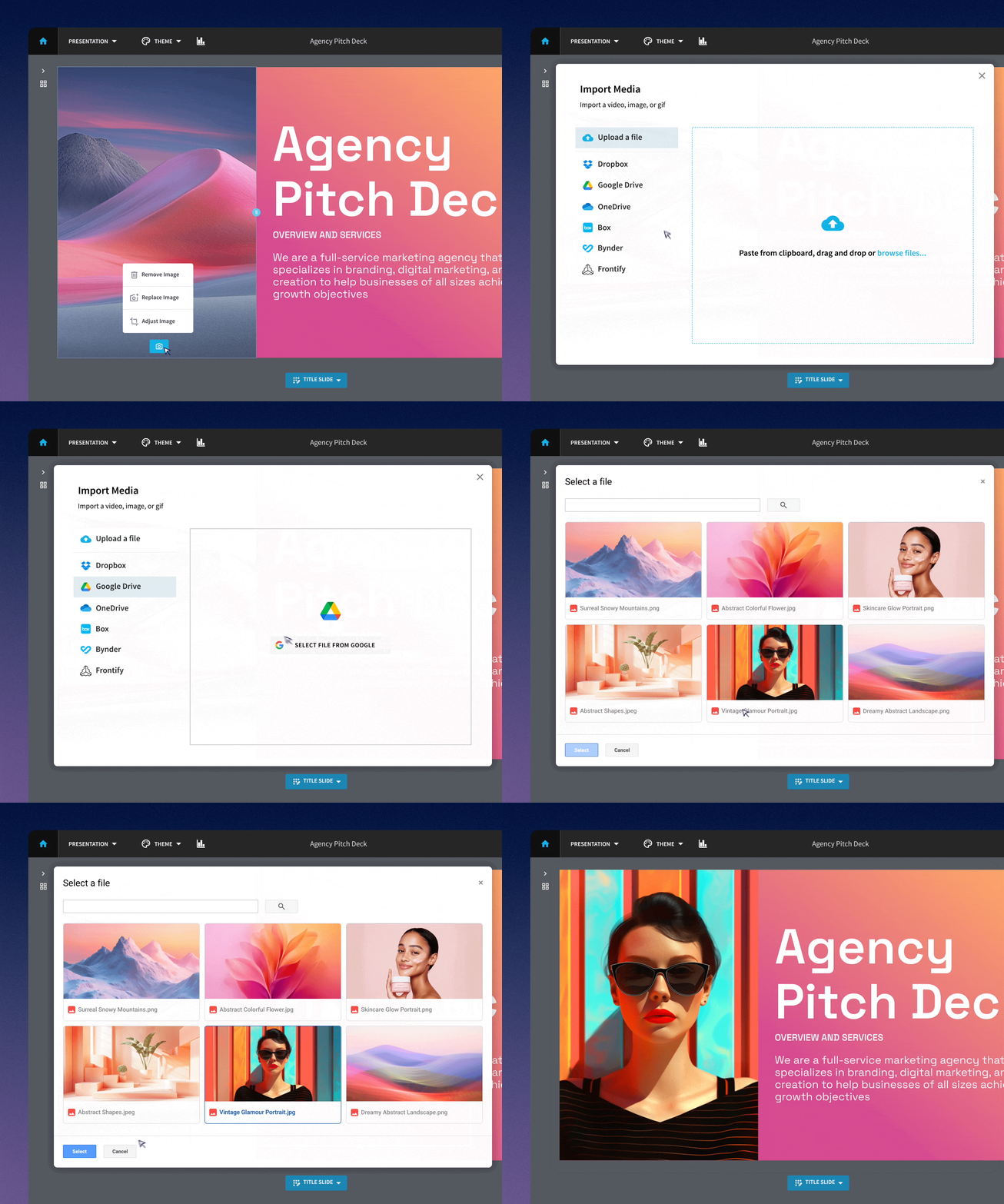
Beautiful.ai supports five different asset and DAM (digital asset management) integrations with popular tools. Each platform can be accessed through the same simple process. When you click on a slide element to add or change an asset, the media library opens. In the left-hand bar, click the blue “Import” button. From there, you can select and upload assets from any of the five integrations below.
Google Drive
Bring images, charts, and other files from Google Drive directly into your presentation. Use the assets you already have stored in Drive without downloading them first and uploading them again, keeping your workflow moving while you build.
Box
Pull approved files from Box directly into Beautiful.ai, so you can add the assets you need without jumping between tools. Your existing folders and permissions stay intact.
Dropbox
Access images, icons, logos, and other files stored in Dropbox right from your presentation. It’s a simple way to build with the assets your team already has on hand.
Bynder
Connect your Bynder portal to bring approved brand assets directly into your presentation. Because you’re sourcing from your brand library, it’s easier to use the latest approved assets instead of outdated local files.
Frontify
Access assets from your Frontify brand library while you build your presentation. Brand teams can manage the source library while presentation creators work with approved assets in their decks.
OneDrive
Bring files from OneDrive into your presentation, or connect chart and table slides to a OneDrive source file. It gives teams one integration for working with both visual assets and presentation data.
Shorten the distance between you and a great deck
Integrations are most useful when you barely have to think about them.
Beautiful.ai’s asset integrations let the platforms you already use do what they do best, without forcing you to leave the deck you’re building. Combined with Smart Slides and brand controls, teams can spend less time hunting for files and more time shaping the presentation itself. Decks stay on brand and up to date, all in one convenient workspace.
Explore all our integrations on the Beautiful.ai integrations page.

.avif)



.avif)
.avif)
