


Decktopus vs Gamma: which is better?


Decktopus vs Gamma: which is better?
Choosing between Decktopus and Gamma often comes down to whether you need speed or flexibility. Both are AI presentation makers designed to eliminate the blank-page problem, but they solve it in fundamentally different ways.
Decktopus AI is built for fast, structured presentation creation. You enter a topic, and the platform generates a complete slide deck in minutes, complete with layouts, content, and visuals. Gamma takes a different approach, treating presentations more like living documents with a card-based interface that adapts to scrolling, presenting, or sharing as web content. Where Decktopus prioritizes quick output with traditional formatting, Gamma prioritizes flexibility and modern, web-native delivery.
This guide breaks down the key differences across features, pricing, workflows, and use cases. Whether you're looking for the best AI presentation makers or comparing PowerPoint alternatives, this comparison will help you choose the right tool.
Tool overviews
What is Decktopus?

Decktopus is an AI-powered presentation generator built for speed. Enter a topic or paste text from a doc, and the AI generates a structured slide deck with layouts, content, and image suggestions. You can preview screenshots of each slide before finalizing. The platform includes built-in presenter tools (speaker notes, timers, live Q&A) and 100+ templates spanning business proposals to training materials.
What is Gamma?
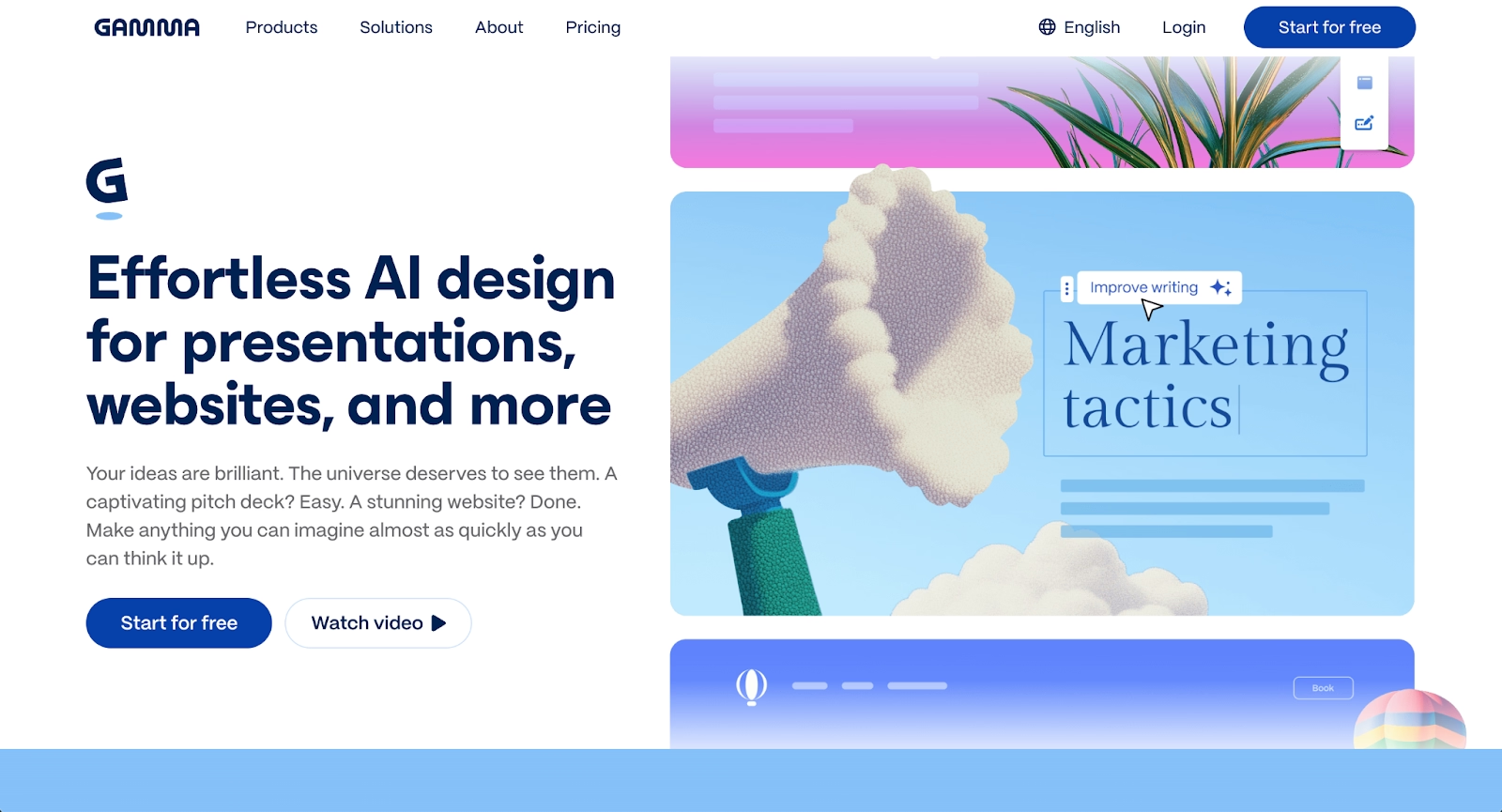
Gamma reimagines presentations as web-native documents. Its card-based interface lets content flow like a webpage, scroll like a doc, or present like a traditional deck. You can start from a blank doc or import existing content for faster creation. Gamma leverages multiple generative AI models (ChatGPT, Claude, Gemini) and supports live data embeds, interactive charts, and real-time collaboration for distributed teams.
Key comparison criteria
When comparing Decktopus vs. Gamma, the core trade-off becomes clear: Decktopus optimizes for structured speed with a traditional slide paradigm, while Gamma optimizes for adaptive flexibility with formats that bend to different delivery contexts.
Ease of use & learning curve
Decktopus is built for simplicity. Enter your topic, select a template, and let the AI generate your deck. Non-designers can produce stunning presentations quickly without knowing design principles. The user-friendly interface follows familiar PowerPoint conventions, making adoption straightforward for teams transitioning from traditional presentation tools.
Gamma requires slightly more orientation. The card-based structure feels different from Microsoft PowerPoint or Google Slides, but once familiar, teams find it valuable for versatile content. The learning curve involves understanding how cards reflow and how to structure non-linear narratives.
Summary: Decktopus favors fast, familiar workflows; Gamma favors adaptable formats with a moderate learning curve.
Templates & format control
Decktopus offers templates covering sales decks, investor presentations, and marketing content with consistent formatting applied automatically. The trade-off is limited pixel-level control. Templates handle most common presentation formats, from pitch decks to training materials, with automated layouts ensuring visual consistency.
Gamma provides thematic styles that adapt to content rather than rigid templates. Cards resize and reflow as you add text, images, or embeds. Custom branding with your own fonts and colors is available on Pro plans. Teams can set default fonts across all presentations, maintaining brand consistency without manual formatting work.
Summary: Decktopus is strongest at structured, template-driven output; Gamma prioritizes flexible, adaptive layouts.
AI features & automation
Both platforms use artificial intelligence to accelerate presentation creation differently. Decktopus AI generates entire decks from topic prompts or uploaded documents, with DecktoGPT creating outlines, populating content, and generating speaker notes. Image generation consumes AI credits. The automation focuses on complete deck generation rather than ongoing formatting assistance.
Gamma uses multiple generative AI models, including ChatGPT and Claude, and supports premium image generation, text generation, and API access for developers on Pro plans. You can learn more about AI presentation makers to see how these tools compare to alternatives like Beautiful.ai's AI-powered approach.
Summary: Decktopus uses AI for structured, end-to-end deck generation; Gamma uses AI for flexible content creation across multiple models.
Design tools, visuals & data visualization
Decktopus includes stock image libraries (Unsplash, Pexels, Icons8), AI image generation, and basic chart options. The platform handles layouts automatically, working well for standard business presentations but limiting complex data visualization options. Charts and graphs follow preset formatting styles that maintain consistency across slides.
Gamma supports live data embeds linked to spreadsheets, interactive charts, and embedded video playback. These features make Gamma effective for data-rich presentations, though users wanting traditional chart formatting may find the approach less predictable. The web-native format allows for more dynamic visuals than static PPT exports typically support.
Summary: Decktopus handles simple, structured visuals; Gamma is strongest at interactive, web-native data presentation.
Interactive elements & audience engagement
Decktopus includes built-in presenter tools: speaker notes, timers, embedded forms, and live Q&A for engaging presentations during sales demos and webinars. These functionality features integrate directly into the presentation workflow, eliminating the need for separate engagement platforms.
Gamma's interactivity comes from its web-native format with embedded videos, clickable charts, and live data updates. Viewers can scroll through content or watch it presented live. The format works particularly well for asynchronous sharing, where recipients explore content at their own pace.
Summary: Decktopus supports live presenter-focused engagement; Gamma delivers interactive, self-guided experiences.
Collaboration features & real-time workflow
Decktopus offers sharing and collaboration on its Business plan, with workspace support for brand consistency through shared templates. Real-time co-editing is limited compared to dedicated collaboration platforms. The workflow prioritizes individual creation with team review rather than simultaneous editing.
Gamma emphasizes real-time collaborative editing where multiple team members work simultaneously, ideal for distributed teams. Version control tracks changes automatically, and commenting features streamline feedback cycles. This approach reduces the email back-and-forth typical in traditional presentation workflows.
Summary: Decktopus provides team sharing with workspace controls; Gamma delivers real-time, simultaneous collaboration.
Compatibility & integrations
Decktopus exports to PDF and PPT formats and supports embedding on websites. Some users report formatting issues when exporting PowerPoint presentations with complex layouts. The platform prioritizes web-based delivery over perfect PPT compatibility, which can create challenges for teams that rely on traditional presentation software.
Gamma exports to PDF, PPTX, PNG, and Google Slides, with API access on Pro plans for integration with tools like Zapier and custom workflows. Web link sharing makes distribution simple.
Summary: Decktopus fits standard export workflows; Gamma fits both standard exports and developer-friendly integrations.
Pricing & free plan
Decktopus offers paid plans, including Pro and Business tiers, with features like AI credits, templates, and team collaboration. Pricing varies based on billing frequency and team size. Check their pricing page for current rates and available trial options.
Gamma provides a free tier with starter credits to test the platform. Paid plans include Plus, Pro (custom branding, analytics, API access), and Ultra (advanced AI models). The pricing structure scales based on features and usage needs, similar to how Beautiful.ai structures team pricing.
Summary: Gamma's free tier provides a solid starting point; Decktopus focuses on paid plans for regular use. Visit each platform's pricing page for current rates.
Ideal use cases
As AI presentation maker tools, Decktopus and Gamma address different workflow priorities. Some teams need a balance between speed and professional design. For organizations wanting automated formatting without sacrificing quality, Beautiful.ai often fits better.

When Beautiful.ai is the better fit
- Teams that need professional presentations with automated design and consistent branding.
- Organizations producing recurring pitch decks, sales presentations, and executive updates at scale.
- Users who want Smart Slides that auto-align, resize, and animate content through built-in design logic (not AI), handling formatting automatically.
- Teams that rely on clean, reliable PowerPoint exports for stakeholders.
- Businesses that value collaboration features with real-time editing and centralized slide libraries.
When Decktopus is the better fit
- Entrepreneurs and small teams need quick, structured presentations.
- Users are creating sales decks, training materials, or internal updates with tight deadlines.
- Presenters who value built-in speaker tools like notes, timers, and live Q&A.
- Teams that prioritize generation speed over design customization.
- Workflows where PDF export is the primary delivery format.
When Gamma is the better fit
- Teams that need flexible, web-native content serving as presentations, documents, and webpages.
- Distributed teams that rely on real-time collaborative editing across time zones.
- Users are creating interactive content with live data, embedded videos, and clickable charts.
- Presenters who value modern, scrollable formats over traditional slides.
- Developers who need API access for custom integrations and workflow automation.
Limitations and trade-offs
No presentation platform is perfect for every use case. Each tool makes specific design decisions around automation, flexibility, and output format, and those choices shape how well it fits different teams, workflows, and presentation styles. Here are the key limitations and trade-offs to keep in mind:
Beautiful.ai trade-offs
- Design controls are more structured, so there’s less room for fully custom, pixel-perfect layouts.
- Smart Slides handle spacing and alignment automatically, which keeps decks consistent but leaves less space for experimental designs.
- The platform runs on a subscription model rather than a permanent free plan.
- It delivers the most value for teams that build presentations regularly, rather than occasional, one-off projects.
Decktopus trade-offs
- Limited design customization; slides can feel generic or templated.
- PowerPoint export formatting may not translate perfectly.
- Requires a paid plan for regular functionality.
- Less effective for high-stakes, story-driven presentations.
Gamma trade-offs
- A card-based format may not suit traditional boardroom expectations.
- Flexibility can encourage over-decoration at the expense of clarity.
- PowerPoint exports may have formatting inconsistencies.
- Learning curve for users accustomed to slide-based tools.
Future roadmap & evolving features
Product direction affects long-term fit. Knowing where each platform is heading helps teams choose the right presentation tools.
Beautiful.ai focus
Beautiful.ai is building out AI-powered automation and Smart Slide capabilities. The roadmap emphasizes data visualization, brand controls, and enterprise governance. The goal: an always-on design assistant handling formatting and consistency automatically.
Decktopus focus
Decktopus is developing AI capabilities and enterprise features. Development priorities include branded corporate templates, custom slide layouts, and improved document import workflows for organizations needing fast, consistent presentations at scale. The platform aims to expand its template library and improve PPT export fidelity.
Gamma focus
Gamma is investing in advanced AI models, API capabilities, and analytics. The roadmap includes expanded support for premium text, image, and video generation, along with deeper integration options for developers. Gamma is positioning itself as a flexible, AI-first content platform beyond traditional presentations.
Final recommendation
Decktopus delivers fast, structured presentation creation for entrepreneurs prioritizing speed. Meanwhile, Gamma offers flexible, web-native content creation for distributed teams valuing collaboration and modern formats.
For teams seeking a middle path, Beautiful.ai works as an AI-powered presentation tool that provides AI-assisted creation with professional design polish. Smart Slides handle formatting automatically, delivering consistent, on-brand results with reliable PowerPoint compatibility. The result is faster workflows without sacrificing quality.
If you want to simplify presentation creation without spending hours on formatting, start a free 14-day trial. See how Beautiful.ai fits your workflow.
Why customers are switching to Beautiful.ai
Beautiful.ai is an AI-powered presentation platform that helps teams create polished, on-brand slides in a fraction of the time, without design skills or manual formatting.
- Design automation built in. Whether you're building pitch decks, reports, or internal presentations, Beautiful.ai’s Smart Slides automatically format content so you never worry about spacing, alignment, or layout again. Add your content, and the design adjusts instantly.
- ️No design experience required. Create professional decks without touching text boxes or manually arranging elements. Choose from Smart Templates and let the AI handle layout decisions, visual hierarchy, and consistency across the entire deck.
- Branding? Already handled. Keep every slide on-brand with your fonts, colors, and logos applied automatically. Beautiful.ai ensures every team member creates presentations that look like they came from a dedicated design team—without extra work.
- Real-time collaboration & team controls. Collaborate directly on the same deck, leave comments, manage permissions, and maintain consistency across team presentations. Perfect for growing teams and cross-functional workflows.
- Faster workflows, fewer revisions. Jump from rough outline to polished presentation in minutes, not hours. Beautiful.ai reduces back-and-forth edits by enforcing on-brand design rules and helping you iterate faster with AI-assisted slide creation.
