


Slidesgo vs Gamma: which is better?
.avif)

Slidesgo vs Gamma: which is better?
Choosing between Slidesgo and Gamma depends on whether you want a massive template library or an AI-driven presentation generator. Both tools help users create slide decks faster, but they approach slide design, automation, and workflow from fundamentally different angles.
Slidesgo is a template-first platform offering tens of thousands of professionally designed presentation templates for Google Slides and Microsoft PowerPoint. Gamma, by contrast, is an AI presentation maker that generates entire decks from prompts using a modern, card-based format optimized for web pages and interactive sharing. Where Slidesgo emphasizes visual variety and compatibility with traditional presentation tools, Gamma prioritizes AI-powered content generation and minimalist, responsive design.
This guide provides a quick comparison across ease of use, templates, AI features, collaboration, pricing, and ideal use cases to help you choose the right tool for your workflow.
Tool overviews
What is Slidesgo?
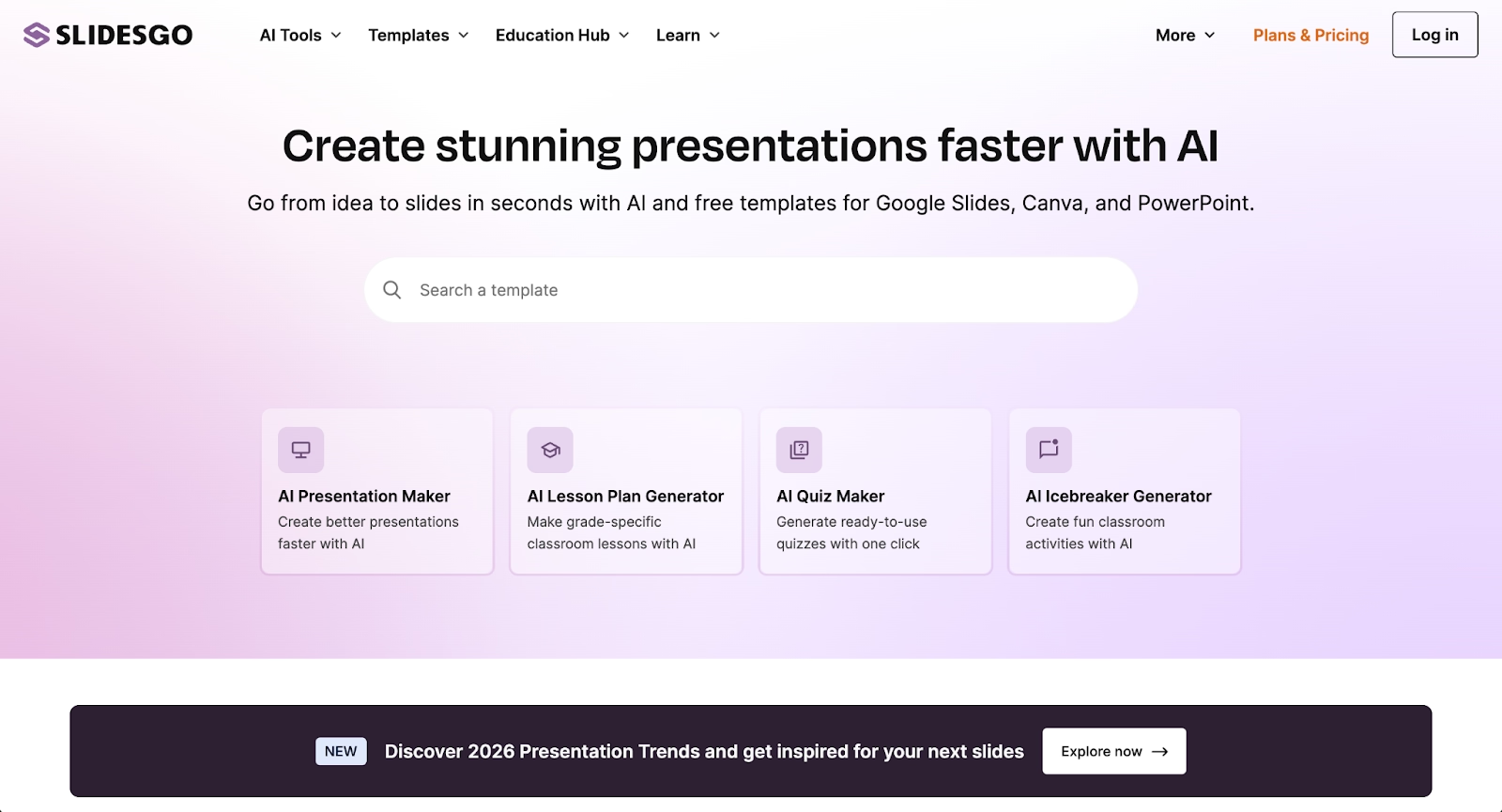
Slidesgo is a template library platform built for users who work primarily in Google Slides and Microsoft PowerPoint. It offers over 30,000 professionally designed presentation templates spanning business, education, marketing, healthcare, and creative portfolios.
The platform's strength lies in its visual variety and ease of use. Users browse, download, and customize high-quality templates directly in their preferred presentation software. Recent additions include an AI presentation maker that generates slide outlines from topics, plus educational tools like lesson planners and quiz generators for educators.
What is Gamma?
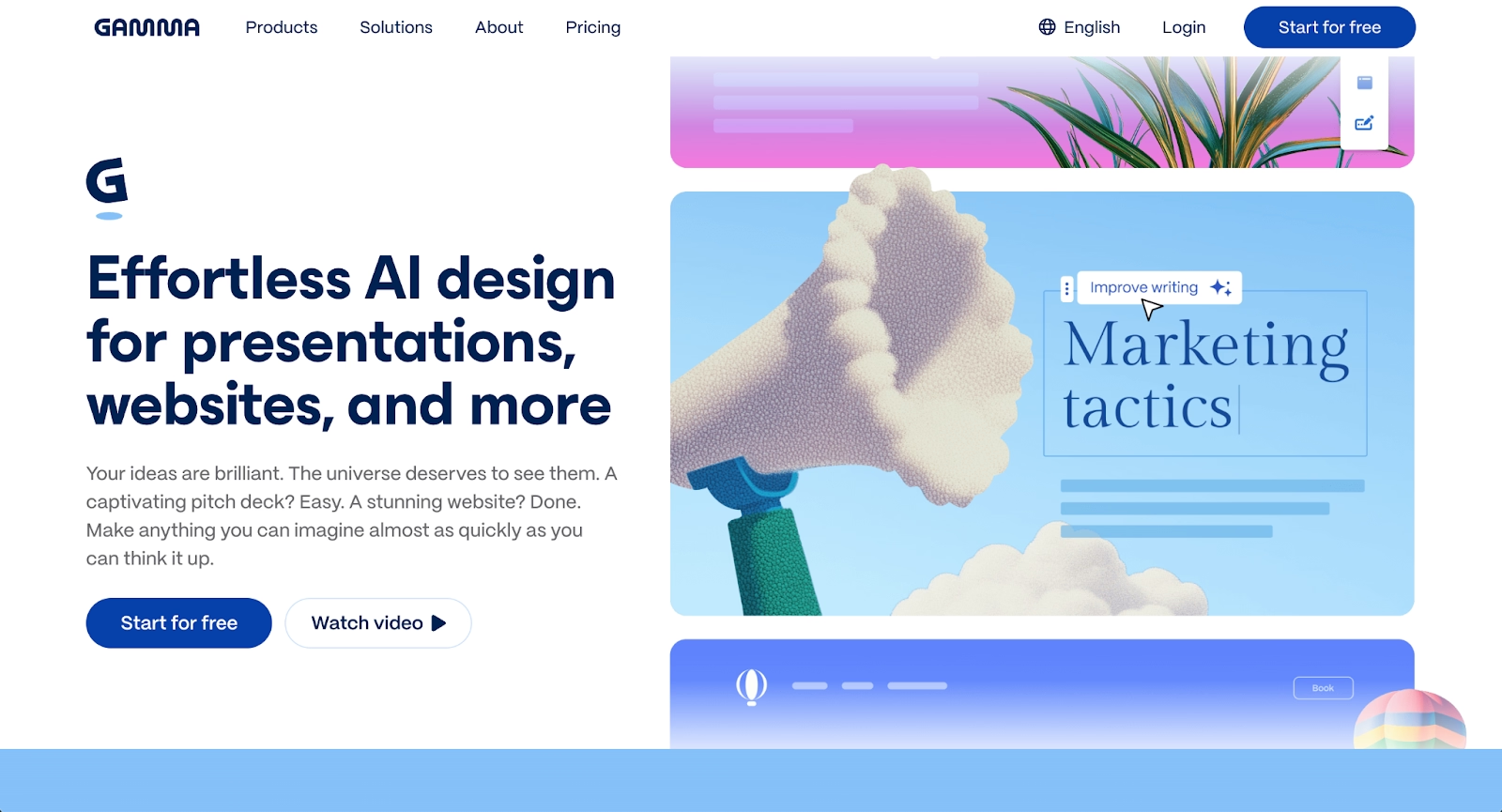
Gamma is an AI-powered presentation tool designed for speed and modern visual storytelling. Instead of traditional slide decks, Gamma uses a card-based, scrollable format that works natively in browsers and adapts responsively across devices.
Users can generate a full deck from a single prompt, with Gamma's AI handling content generation, layout suggestions, and image creation. The platform emphasizes polished presentations with minimalist design, real-time collaboration, and built-in analytics. It's particularly popular among startup founders, consultants, and sales teams who need engaging presentations quickly.
Key comparison criteria
At a strategic level, Slidesgo and Gamma represent two distinct philosophies. Slidesgo is a template library that accelerates the starting point of presentation creation while relying on PowerPoint and Google Slides for actual editing and collaboration. Gamma is a standalone AI presentation generator that handles the entire workflow from prompt to polished output within a single platform.
These differences shape how each tool handles ease of use, design control, and team workflows.
Ease of use & learning curve
Slidesgo has a minimal learning curve for anyone already familiar with Google Slides or Microsoft PowerPoint. Users browse the template library, download a PPTX or Google Slides file, and edit using tools they already know. The AI presentation maker simplifies content generation, but most customization still happens in external software.
Gamma's interface is intuitive for AI-first workflows. Users enter a prompt, and the platform generates a structured presentation in seconds. The card-based format may feel unfamiliar to users accustomed to traditional presentation software, as layouts scroll vertically rather than advancing slide-by-slide. For teams comfortable with modern web-native tools, the learning curve is manageable.
Summary: Slidesgo favors users who prefer familiar PowerPoint and Google Slides editing; Gamma favors users who want AI-driven generation in a standalone workspace.
Templates & format control
Slidesgo's core strength is its template library. With tens of thousands of customizable templates organized by category, industry, and style, users can find high-quality starting points for nearly any use case. Templates include infographics, timelines, data charts, and icon sets that can be fully edited in PowerPoint or Google Slides. Animations, fonts, and layouts are all adjustable.
Gamma AI takes a different approach. Rather than offering a large template library, it relies on AI to generate layouts dynamically based on user prompts and selected themes. Users can apply pre-set themes and adjust styling, but the focus is on AI-generated structure rather than manually curated designs. This approach prioritizes speed over deep template customization. Unlike tools like Canva or Prezi that balance templates with creative freedom, Gamma leans heavily on automation.
Summary: Slidesgo is strong in visual variety and template selection; Gamma prioritizes AI-generated layouts over static templates.
AI features & automation
Both platforms incorporate AI, but they apply it in fundamentally different ways.
Slidesgo's AI presentation maker helps users generate slide outlines and structured content from a topic or keywords. Users select a theme, specify the number of slides, and receive a generated presentation they can download and customize in PPT or Google Slides format. Additional AI tools include lesson planners, quiz generators, and icebreaker generators for educators. The AI accelerates the starting point, but editing remains manual. Tools like SlidesAI offer similar functionality as Google Slides add-ons.
Gamma is built around AI-driven automation from end to end. Users can generate a full deck from a single prompt, with AI handling content generation, layout, image generation, and visual hierarchy. Gamma supports multiple AI models, including Claude, ChatGPT, DALL-E, Gemini, and Flux for different content types. Users can also refine content with AI, including rewriting sections, adding bullet points, and translating docs into different languages. This one-click approach to content creation differs from traditional presentation tools.
Summary: Slidesgo uses AI to accelerate template-based creation; Gamma uses AI as the foundation of its entire workflow.
Design tools, visuals & data visualization
Slidesgo templates come pre-designed with professional-grade visuals, including charts, graphs, timelines, and icon libraries. Users can customize these elements in PowerPoint or Google Slides, using the full functionality of those platforms for data visualization and design control. This makes Slidesgo a solid choice for teams that need data-driven presentations. The quality of output depends heavily on the user's editing skills.
Gamma emphasizes clean, minimalist design with modern typography and responsive layouts. The platform supports embedded content including videos, GIFs, charts, calendars, and third-party apps. Data visualization is functional but less sophisticated than what's possible in PowerPoint or dedicated charting tools. Gamma's strength is visual consistency across cards rather than complex data-heavy layouts.
Summary: Slidesgo does well with template-based design flexibility; Gamma is strong in consistent, modern visual presentation.
Interactive elements & audience engagement
Slidesgo templates can include animations and transitions, but interactivity depends on the capabilities of Google Slides or PowerPoint. There are no native engagement features like polls or live audience interaction; presentations are static files shared through traditional methods.
Gamma is designed for web-first sharing. Presentations can be published as live links, embedded on web pages, or shared on social media. The platform includes built-in analytics showing views, scroll depth, and engagement time. While Gamma doesn't include live polling or quizzes, its card-based format supports embedded media and interactive elements that keep audiences engaged during async viewing.
Summary: Slidesgo supports traditional presentation delivery; Gamma delivers interactive, web-native sharing with engagement tracking.
Collaboration features & real-time workflow
Slidesgo does not include built-in collaboration tools. Users download templates and collaborate through Google Slides or PowerPoint, which provide real-time editing, comments, and version history. This approach works well for teams already embedded in those ecosystems but adds workflow friction for those managing multiple files and platforms.
Gamma includes native real-time collaboration within the platform. Multiple users can edit simultaneously, leave comments, and share folders. Team workspaces support centralized asset management and custom company themes.
Summary: Slidesgo relies on external tools for collaboration; Gamma provides built-in team workflows.
Compatibility & integrations
Slidesgo is built around compatibility with existing presentation tools. Templates download directly to PPTX format or open in Google Slides, This creates smooth integration with workflows that rely on Microsoft PowerPoint, Google Workspace, or Canva. Export options are straightforward since the editing happens in familiar software.
Gamma operates as a standalone platform with export capabilities. Users can export to PDF, PPTX, PNG, and Google Slides, but the card-based format doesn't always translate cleanly to traditional slide layouts. Text and images may shift, and formatting often requires manual cleanup after export. For teams that need PowerPoint-native deliverables, this creates extra work. Gamma also offers an API for programmatic content creation and integration with other tools.
Summary: Slidesgo fits naturally into Google and Microsoft ecosystems; Gamma fits best when content stays within its web-native format.
Pricing & free plan
Slidesgo offers a generous free plan that allows users to download 3-5 templates per month with attribution requirements. Premium plans start at approximately $5.99 per month, which removes attribution, unlocks unlimited downloads (with a practical cap around 150/month), and provides access to all premium templates. The low price point makes Slidesgo accessible for students, educators, and casual users.
Gamma's free plan covers basic presentation generation and export. Paid plans include Plus at $8.99/month (removes branding, advanced AI models). Team plans add centralized billing and shared workspaces.
Summary: Slidesgo costs far less for template access; Gamma's pricing reflects its AI-powered functionality and is better suited for teams with regular presentation needs.
Ideal use cases
Slidesgo and Gamma each serve distinct workflows. Slidesgo is optimized for users who want beautiful starting points without extensive design effort, while Gamma is optimized for users who want AI to handle the creative heavy lifting from scratch.
For teams that sit between these approaches and need consistent, on-brand presentations without manual formatting or export headaches, Beautiful.ai offers a balanced alternative. Its Smart Slides automatically adjust layouts as content changes, combining AI-powered generation with design automation that ensures professional results every time.

When Beautiful.ai is the better fit
- Teams producing recurring pitch decks, sales presentations, and executive updates at scale.
- Organizations that need brand consistency across multiple team members without manual formatting.
- Users who want an AI presentation tool that automates layouts, spacing, and visual hierarchy.
- Teams that require clean PowerPoint exports with reliable formatting.
- Businesses that rely on real-time collaboration and shared slide libraries.
When Slidesgo is the better fit
- Educators, students, and marketers who work primarily in Google Slides or Microsoft PowerPoint.
- Users who want access to a massive library of professionally designed, customizable templates.
- Teams creating presentations occasionally rather than as part of a daily workflow.
- Users who prefer full manual control over layouts, fonts, animations, and transitions.
- Individuals looking for a strong free plan with minimal cost for premium upgrades.
When Gamma is the better fit
- Startup founders and consultants who need to generate pitch decks and proposals quickly.
- Teams focused on web-native content sharing with built-in engagement analytics.
- Users comfortable with modern, card-based presentation formats rather than traditional slides.
- Organizations that prioritize AI-driven content generation and minimalist design aesthetics.
- Teams that benefit from built-in real-time collaboration without external tools.
Limitations and trade-offs
Every presentation tool makes trade-offs between control, speed, and compatibility. Knowing these limitations helps teams set realistic expectations and choose tools that fit their workflow.
Beautiful.ai trade-offs
- Smart Slides provide guided customization rather than pixel-level design control.
- Does not offer a permanent free plan for casual or one-off presentation needs.
- Fewer pre-designed templates than Slidesgo's extensive library.
- Best suited for structured business presentations rather than highly experimental designs.
Slidesgo trade-offs
- Templates are static; maintaining consistency across edited slides requires manual effort.
- No built-in collaboration features; teams must rely on Google Slides or PowerPoint.
- AI features accelerate starting points but don't automate continuous formatting.
- Output quality depends heavily on user editing skills in external software.
Gamma trade-offs
- Card-based format doesn't map cleanly to traditional slide layouts.
- PowerPoint exports often require manual cleanup and formatting adjustments.
- Less template variety compared to dedicated template libraries.
- Learning curve for users accustomed to slide-by-slide presentation tools.
Future roadmap & product direction
Product direction shows where each platform is heading and whether it will continue to support your workflow as needs evolve.
Beautiful.ai focus
Beautiful.ai continues to advance AI-powered automation and Smart Slide capabilities. The roadmap emphasizes deeper data visualization, stronger brand governance tools, expanded collaboration features, and tighter integration with team workflows. The long-term vision is to function as an always-on design assistant that handles formatting automatically so teams can focus on message and story.
Slidesgo focus
Slidesgo is growing its AI tools beyond basic slide generation. Recent additions include AI lesson planners, quiz generators, and classroom support tools for educators. The platform is also growing its template library and improving its online editor to reduce dependency on external software. Slidesgo is positioning itself as a comprehensive resource for visual content creation, particularly in education.
Gamma focus
Gamma is investing heavily in advanced AI models and expanded content types. The roadmap includes stronger video generation capabilities, more sophisticated image models, API access for programmatic content creation, and deeper customization options like custom fonts and domains. Gamma is positioning itself as a multi-format AI content platform for presentations, documents, websites, and social media.
Final recommendation
Slidesgo is well-suited for users who want quick access to professionally designed templates and prefer editing in familiar tools like Google Slides or PowerPoint. Gamma stands out for users who want AI to generate complete presentations fast and value modern, web-native sharing over traditional slide formats.
For teams that need a balance between AI-powered speed and professional, work-ready presentations, Beautiful.ai often emerges as the more practical long-term choice. It removes the manual formatting overhead of template-based tools while avoiding the export complications of web-first platforms, with Smart Slides that auto-align and resize content as you edit. The result is a faster, more consistent way to produce professional presentations without sacrificing reliability or control.
If your goal is to streamline presentation creation and maintain brand consistency, Beautiful.ai offers an AI-powered approach worth exploring. Start a free trial to see how it compares to your current workflow.
Why customers are switching to Beautiful.ai
Beautiful.ai is an AI-powered presentation platform that helps teams create polished, on-brand slides in a fraction of the time, without design skills or manual formatting.
- Design automation built in. Whether you're building pitch decks, reports, or internal presentations, Beautiful.ai’s Smart Slides automatically format content so you never worry about spacing, alignment, or layout again. Add your content, and the design adjusts instantly.
- ️No design experience required. Create professional decks without touching text boxes or manually arranging elements. Choose from Smart Templates and let the AI handle layout decisions, visual hierarchy, and consistency across the entire deck.
- Branding? Already handled. Keep every slide on-brand with your fonts, colors, and logos applied automatically. Beautiful.ai ensures every team member creates presentations that look like they came from a dedicated design team—without extra work.
- Real-time collaboration & team controls. Collaborate directly on the same deck, leave comments, manage permissions, and maintain consistency across team presentations. Perfect for growing teams and cross-functional workflows.
- Faster workflows, fewer revisions. Jump from rough outline to polished presentation in minutes, not hours. Beautiful.ai reduces back-and-forth edits by enforcing on-brand design rules and helping you iterate faster with AI-assisted slide creation.
