


PopAI vs Gamma: which is better?


PopAI vs Gamma: which is better?
Choosing between PopAI and Gamma comes down to what you need from an AI presentation tool and how deeply you want it integrated into your workflow. Both platforms use AI to help users create presentations faster, but they represent fundamentally different approaches to the problem.
PopAI positions itself as an all-in-one artificial intelligence workspace that includes presentation creation alongside document analysis, image generation, and ChatGPT-style chat features. Gamma is a dedicated AI presentation maker built around a card-based, web-native format optimized for visual storytelling and browser-based sharing. These core differences help clarify which tool fits your specific presentation design needs and workflow efficiency.
This guide compares both platforms across key criteria: ease of use, templates, AI features, design tools, collaboration, pricing, and ideal use cases.
Tool overviews
What is PopAI?

PopAI is an AI-powered productivity platform that combines presentation creation with document analysis, AI chat, image generation, and content writing. According to third-party reviews, it uses multiple AI models like GPT-4o, Claude, and DeepSeek within a single workspace.
For presentations, PopAI offers one-click generation from prompts, text, or uploaded files. Users can create a first draft quickly, but output typically requires manual refinement for professional use. PopAI appeals to users who want a Swiss Army knife approach to productivity rather than specialized presentation software.
What is Gamma?
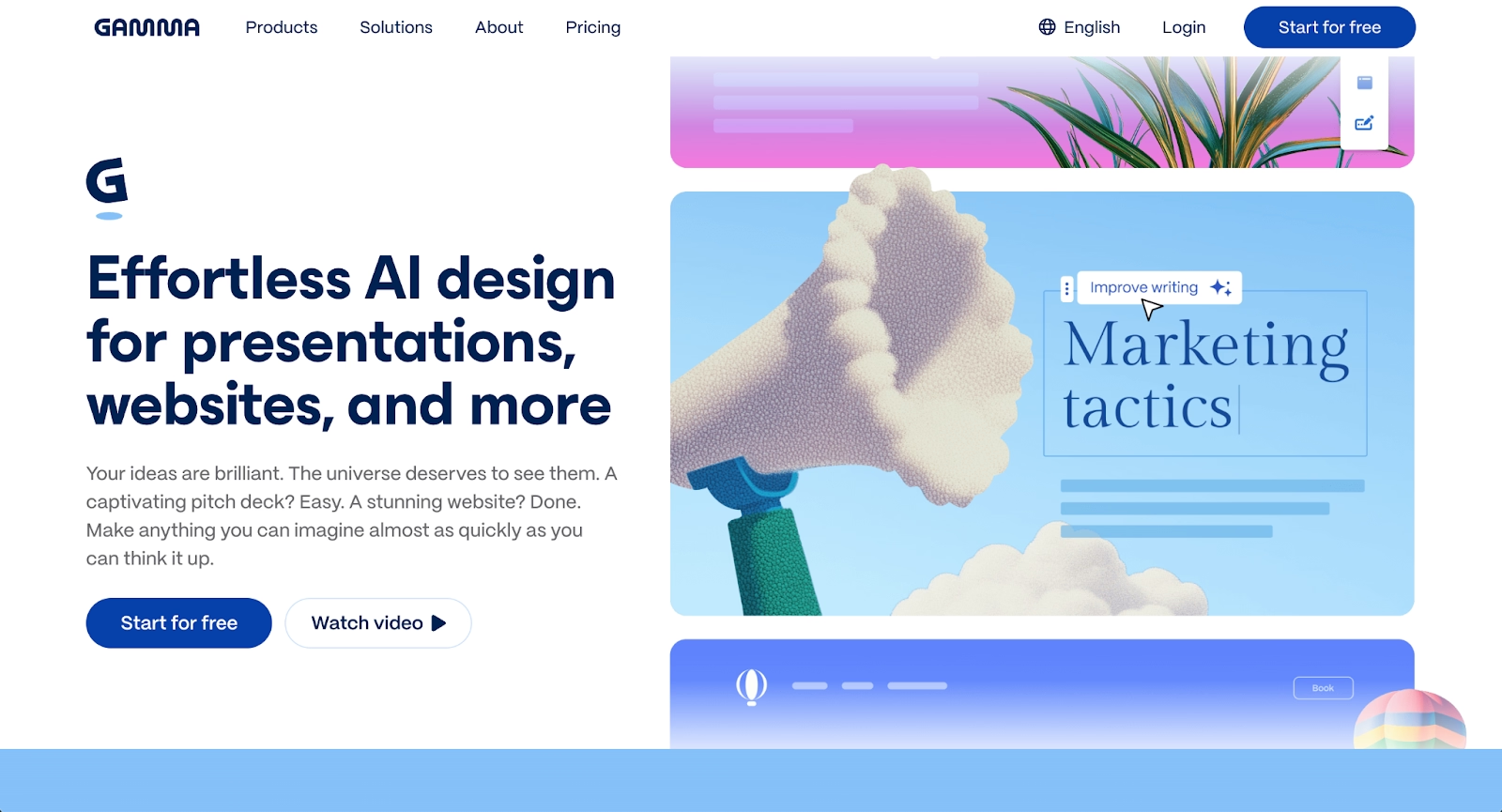
Gamma is a dedicated AI presentation maker built around a card-based, scrollable format rather than traditional slides. It generates presentations, documents, and webpages from prompts or uploaded content, applying modern visual layouts automatically.
Presentations look polished in a browser with embedded videos, charts, and interactive elements. The platform includes engagement analytics, custom branding controls, and real-time collaboration features. Gamma is popular among startups and content creators who value speed and visual appeal over rigid slide formats.
Key comparison criteria
PopAI and Gamma represent different philosophies. PopAI treats slides as one capability among many in a general-purpose toolkit. Gamma treats building decks as its primary focus, organizing the platform around visual storytelling and shareable content.
This difference shapes every aspect of user experience, from templates to design control. Teams comparing AI presentation tools often find this distinction matters more than expected.
Ease of use & learning curve
PopAI prioritizes simplicity and ease of use, letting users generate complete decks from prompts in seconds. The user-friendly interface minimizes the learning curve for basic tasks, though tweaking output for professional presentations requires more effort due to limited editing tools and design options.
Gamma's card-based interface is modern and responsive, but presents a steeper learning curve for users accustomed to traditional slide software. The platform excels at creating visually engaging content, though adapting to non-linear, scrollable thinking takes time.
Summary: PopAI favors fast generation with a shallow initial learning curve; Gamma favors a more polished editing experience that requires adapting to its unique format.
Templates & format control
PopAI provides basic presentation templates and layouts that help structure content but lack intelligent design automation. Users who need precise control over fonts, colors, and formatting—like those accustomed to advanced design tools such as Canva—will find PopAI's design options limited.
Gamma offers modern, visually distinctive templates designed for its card-based format. Presentation templates are customizable with colors, fonts, and branding controls on paid plans. Because layouts are optimized for vertical scrolling, they do not always translate cleanly into traditional PowerPoint slides.
Summary: PopAI prioritizes speed over design control; Gamma excels at modern aesthetics within its web-native format while offering stronger customization options.
AI features & automation
Both AI-powered tools use artificial intelligence extensively, but in different ways.
PopAI leverages multiple AI models for broad productivity tasks: generating presentations, analyzing PDFs, creating AI images, and providing AI chat functionality with documents. The platform's presentation-specific AI focuses on content generation rather than design automation, making it a versatile AI-powered tool for various use cases.
Gamma applies AI-driven technology directly to presentation structure, visual storytelling, and design. The AI presentation maker generates outlines, suggests layouts, and integrates AI image generation. Features like "Ask AI" help summarize and rewrite content without leaving the editor, streamlining content creation workflows. This AI-powered presentation approach focuses on narrative flow and visual coherence.
Summary: PopAI uses AI for broad productivity tasks, including presentations; Gamma uses AI-driven features to improve presentation creation and design.
Design tools, visuals & data visualization
PopAI's design tools are basic, with limited data visualization capabilities and functionality compared to specialized platforms. The platform emphasizes speed over sophisticated visuals, making it suitable for quick drafts but less ideal for high-quality professional presentations requiring advanced design skills.
Gamma handles embedded multimedia well (videos, GIFs, charts, and live embeds), though these may need adjustment when exported to PPT format. The platform excels at visual presentation,n but for advanced data visualization needs, specialized tools offer more precision and functionality.
Summary: PopAI provides functional but basic visuals; Gamma excels at multimedia embeds and modern web aesthetics with stronger visual design tools.
Interactive elements & audience engagement
PopAI does not prioritize interactive presentation features or engagement tracking. It focuses on generating content for standard delivery channels.
Gamma includes engagement analytics showing viewer behavior and scroll depth, making it useful for async sharing. The card-based format supports embedded content but lacks native quiz or polling features.
Summary: PopAI delivers static outputs; Gamma provides analytics and web-native interactivity.
Collaboration features & real-time workflow
PopAI is primarily designed for individual users with limited team collaboration features. Teams looking for collaborative workflows and brand consistency will find PopAI insufficient.
Gamma supports real-time collaboration with multi-editor access, commenting, and permissions on paid plans. For distributed teams, Gamma offers more collaborative functionality.
Summary: PopAI focuses on individual productivity; Gamma supports team collaboration workflows.
Compatibility & integrations
PopAI exports presentations to PPT and PDF formats, but export quality is inconsistent and often requires tweaking in PowerPoint to fix formatting issues. The platform operates as a standalone tool without deep integrations into Google Drive or other workflow ecosystems, limiting its functionality for teams using collaborative platforms.
Gamma exports to PDF, PPT, PNG, and Google Slides, and integrates with Google Drive for streamlined file management. However, card-based layouts may not preserve perfectly when exported to PowerPoint format, requiring manual adjustments and formatting tweaks. Gamma performs well with embedding and link-based sharing for its web-first format, making it suitable for presentation needs focused on digital delivery.
Summary: Both tools export to standard PPT and PDF formats, but neither delivers smooth PowerPoint compatibility for traditional slide workflows without formatting adjustments.
Pricing & free plan
PopAI offers a free plan with limited usage and AI credits for basic functionality, while paid plans start at $12/month for Pro pricing. The pricing structure is competitive with other AI productivity tools, though independent reviews note variability in output quality. The free version provides enough functionality for casual users to test core features.
Gamma provides 400 AI credits at signup through its free plan. Plus pricing costs $8/month (billed annually) and removes watermarks, while Pro pricing at $18/month adds premium AI models, custom branding, advanced features, and detailed analytics. This tiered pricing structure aligns with presentation software pricing trends across the industry.
Summary: Both offer free tiers for testing core functionality. PopAI's paid plans focus on general AI usage; Gamma's paid plans unlock presentation-specific advanced features like branding and analytics.
Ideal use cases
PopAI appeals to users who want a multi-purpose AI tool where presentations are one capability among many, while Gamma appeals to those who prioritize visual storytelling and web-based sharing. For organizations that need more structure than either provides, Beautiful.ai offers a balanced alternative with Smart Slides that handle formatting automatically and AI that helps generate content quickly.

When Beautiful.ai is the better fit
- Teams that need on-brand, polished presentations without manual formatting work
- Organizations producing recurring pitch decks, sales presentations, and executive updates at scale
- Users who want AI-powered content generation combined with automated design rules
- Teams that prefer a streamlined workflow rather than switching between multiple tools
- Businesses that require clean, reliable PowerPoint exports for stakeholders
When PopAI is the better fit
- Individuals who need a multi-purpose AI workspace combining AI chat, documents, and presentation creation
- Users who want to generate quick drafts with one-click PPT generation and are comfortable with manual polish afterward
- Students or casual users looking for an affordable, all-in-one AI assistant with a free version
- Workflows where speed and ease of use matter more than design precision and professional presentations
- Teams creating internal content where professional polish is less critical and basic functionality suffices
When Gamma is the better fit
- Startups, consultants, and creators who prefer modern, web-native presentations over traditional slides
- Teams focused on visual storytelling and embedded multimedia content
- Users who benefit from engagement analytics to understand audience behavior
- Workflows centered on link-based sharing and async collaboration
- Content creators are comfortable with card-based layouts rather than fixed 16:9 slides
Limitations and trade-offs
Each tool reflects deliberate design choices that create inherent tradeoffs. Knowing where each prioritizes flexibility, automation, or control helps set realistic expectations.
Beautiful.ai trade-offs
- Less creative freedom than full graphic design platforms or freeform tools
- Does not offer native audience interaction features like polls or quizzes
- Presentation style is more linear compared to Gamma's non-linear card format
- No permanent free plan for casual or one-off needs
PopAI trade-offs
- Presentation creation features are secondary to the platform's broader AI capabilities.
- Limited design automation and basic design tools mean outputs often need manual refinement for professional presentations.
- Collaboration features are minimal, primarily designed for individual use rather than a real-time team workflow.
- Export quality can be inconsistent, requiring cleanup and formatting adjustments in PowerPoint to fix key points and layouts.
Gamma trade-offs
- Card-based layouts do not map cleanly to traditional 16:9 slides or standard presentation templates.
- PowerPoint exports frequently require formatting adjustments to preserve the narrative and visual design.
- Less suited for formal boardroom presentations, strict corporate templates, or presentation needs requiring precise data visualization.n
- Premium advanced features like branding controls, detailed analytics, and additional AI credits require paid plans beyond the free plan.
Future roadmap & evolving features
Where each platform is heading helps teams choose tools that will continue supporting their workflow.
Beautiful.ai focus
Beautiful.ai continues advancing AI-powered automation as its core differentiator. The roadmap centers on growing Smart Slide capabilities, improving data visualization, and strengthening collaboration, permissions, and brand governance for teams. The long-term vision is to function as an always-on design assistant that handles formatting and consistency automatically.
PopAI focus
PopAI is building out its multi-purpose AI capabilities across productivity tasks and expanding its AI chat functionality. Development focuses on deeper document analysis with AI-generated summaries, improved content generation across use cases, and broader AI model integrations. Presentation creation remains one feature among many rather than the platform's primary focus, with ongoing refinements to PPT generation and AI image capabilities.
Gamma focus
Gamma's development focuses on visual storytelling, stronger AI capabilities, and enhanced presentation creation workflows. Continued improvements include advanced AI models for content generation and AI image creation, richer analytics for tracking user experience, and expanded customization options for presentation templates and design tools. Gamma is positioning itself as an AI presentation maker and content platform optimized for web-native creation, social media sharing, and professional presentations that prioritize narrative over traditional slide formats.
Final recommendation
PopAI and Gamma each serve distinct presentation needs and use cases. PopAI works best for individuals who want a broad AI toolkit with ChatGPT-style functionality, while Gamma stands out for content creators who prioritize modern visuals, social media-ready content, and web-based sharing with engagement tracking.
For teams that sit between those two approaches, Beautiful.ai often emerges as the more practical choice. It removes manual design overhead and formatting challenges while avoiding the limitations of generalist AI-powered tools or web-first formats that do not translate well to traditional slides and professional presentations. Smart Slides handle formatting and design automatically, and AI helps generate high-quality content quickly without sacrificing professional polish or brand consistency, addressing key points that both PopAI and Gamma struggle with in different ways.
If your goal is to streamline presentation creation and produce reliable PowerPoint outputs with minimal tweaking, Beautiful.ai offers a balanced approach. It fits naturally into professional workflow environments where teams need to move from ideas to finished decks with less friction, better design skills automation, and stronger presentation software functionality than either alternative provides.
Why customers are switching to Beautiful.ai
Beautiful.ai is an AI-powered presentation platform that helps teams create polished, on-brand slides in a fraction of the time, without design skills or manual formatting.
- Design automation built in. Whether you're building pitch decks, reports, or internal presentations, Beautiful.ai’s Smart Slides automatically format content so you never worry about spacing, alignment, or layout again. Add your content, and the design adjusts instantly.
- ️No design experience required. Create professional decks without touching text boxes or manually arranging elements. Choose from Smart Templates and let the AI handle layout decisions, visual hierarchy, and consistency across the entire deck.
- Branding? Already handled. Keep every slide on-brand with your fonts, colors, and logos applied automatically. Beautiful.ai ensures every team member creates presentations that look like they came from a dedicated design team—without extra work.
- Real-time collaboration & team controls. Collaborate directly on the same deck, leave comments, manage permissions, and maintain consistency across team presentations. Perfect for growing teams and cross-functional workflows.
- Faster workflows, fewer revisions. Jump from rough outline to polished presentation in minutes, not hours. Beautiful.ai reduces back-and-forth edits by enforcing on-brand design rules and helping you iterate faster with AI-assisted slide creation.
