


Skywork vs Gamma: which is better?

Skywork vs Gamma: which is better?
Choosing between Skywork AI and Gamma often comes down to whether you need research-backed content generation or fast, polished presentations with visual storytelling. Both AI presentation tools use AI to accelerate the creation process, but they approach slide design, workflow, and output quality from different angles.
Skywork AI positions itself as an AI agent workspace built around deep research, citations, and multimodal content generation. Gamma, by contrast, is a web-based presentation platform focused on speed, visual storytelling, and interactive formats. This in-depth guide breaks down each tool's key features, limitations, and pricing to help you decide which fits your workflow best.
From ease of use and templates to AI features and pricing, we compare these AI presentation tools head-to-head in this side-by-side analysis, including how they stack up against traditional options like Microsoft PowerPoint and ChatGPT-powered tools, so you can pick the platform that matches how your team works.
Tool overviews
What is Skywork AI?

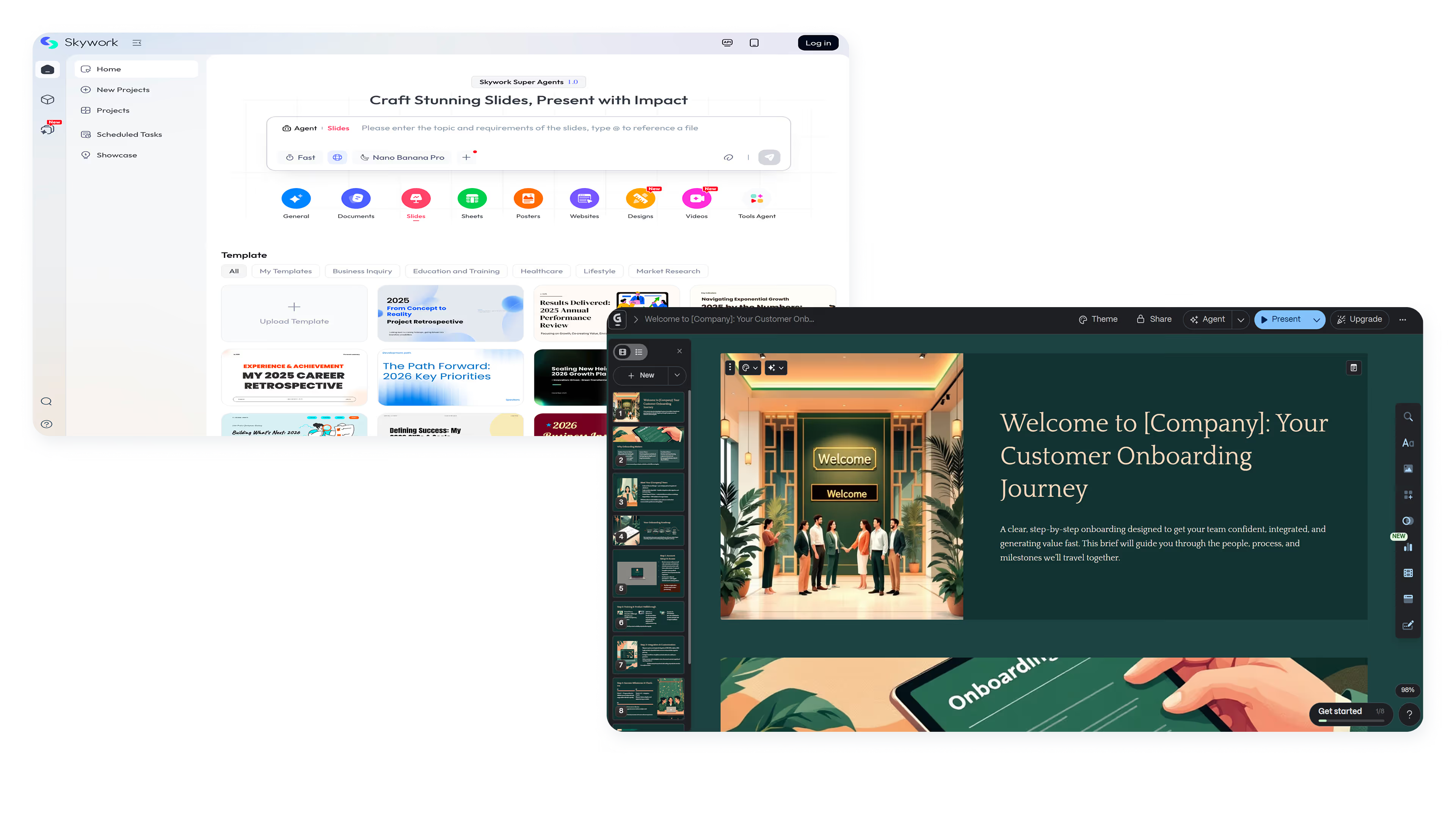
Skywork AI is an AI workspace platform built around specialized agents that handle document generation, slide creation, and research synthesis. It targets professionals who need data-driven, cited content with academic-level accuracy and proper citations throughout. The platform is available across web, iOS, and Android, making it accessible for users who work across devices.
Skywork's core strength lies in its research-backed approach. Users can generate docs and presentations that pull in relevant data, structure information logically, and include proper citations. The AI-driven presentation generator suggests layouts, color schemes, and formatting based on content type, though the emphasis is on substance over visual flair. This makes it particularly valuable for academic presentations and research-focused slide decks.
What is Gamma?
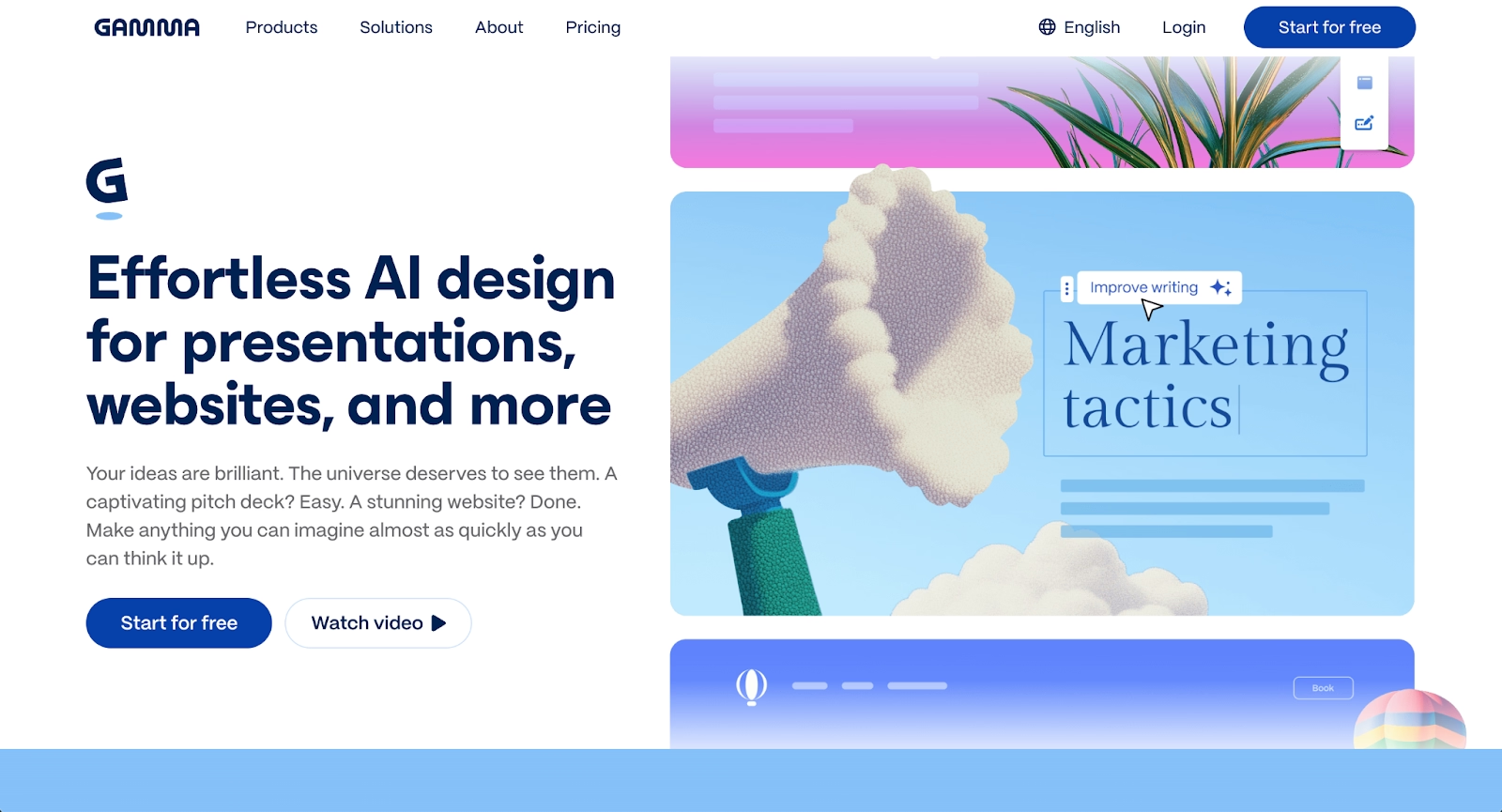
Gamma is a web-native AI presentation platform designed for fast, visually engaging content creation. With over 50 million users, Gamma (often called Gamma AI) has become popular among consultants, marketers, educators, and startup founders who need polished decks without spending hours on design.
Gamma's interface centers on prompt-based slide generation, allowing users to create presentations, docs, websites, and social media content from a single idea or imported outline. Its card-based format supports interactive embeds, one-click theme switching, and real-time collaboration. The platform prioritizes speed and visual appeal over deep research capabilities, making it an excellent presentation generator for teams focused on high-quality visual output.
Key comparison criteria
At a strategic level, Skywork AI and Gamma serve different primary needs: Skywork is built for content depth, treating presentations as vehicles for well-researched, cited information, while Gamma is built for content velocity, treating presentations as visual stories that need to look great and ship fast.
Ease of use & learning curve
Gamma is designed for speed. Users can start with a text prompt, paste in an existing outline, or import a document, and the AI generates a complete deck within minutes. The interface is clean and intuitive, with most actions available through simple clicks or drag-and-drop interactions. For anyone who has struggled with blank-page paralysis, Gamma's approach removes that friction almost entirely.
Skywork AI has a slightly steeper learning curve because its value comes from learning how to use its research capabilities. The platform uses specialized agents for different content types, and getting the best results requires writing detailed prompts and optionally adding source materials. Once users understand the workflow, output quality is strong, but it takes more upfront investment than Gamma's one-click generation.
Summary: Gamma favors fast, visual-first creation; Skywork favors research-depth and structured content generation.
Templates & format control
Gamma offers over 100 themes and style systems that users can apply with a single click. The card-based layout adapts to different content types, and the platform handles spacing, alignment, and visual hierarchy automatically. Brand kits can be imported to maintain branding consistency across decks. The trade-off is that Gamma's templates are optimized for its native web format, and users report notable formatting issues when exporting to Microsoft PowerPoint (PPT/PPTX) or Google Slides.
Skywork AI approaches templates differently, focusing on document and slide structures rather than visual themes. The AI analyzes content and suggests optimal layouts, fonts, and design tools, but users have less control over pixel-level design details. Skywork excels at generating well-organized, professionally structured content rather than highly stylized visuals.
Summary: Gamma shines in fast visual styling with theme flexibility; Skywork prioritizes content structure and organization over visual customization.
AI features & automation
Both platforms rely heavily on AI, but they apply it to different problems.
Gamma uses AI primarily for generation speed and visual assembly. Users can generate entire decks from prompts, create AI-generated images, translate content, and restyle presentations instantly. The platform integrates multiple AI models (similar to how ChatGPT and Claude work) for text and image generation. Gamma's AI assistance is optimized for rapid iteration, helping users move from idea to polished output in minutes rather than hours. This AI-powered approach makes it one of the fastest presentation generators available.
Skywork AI positions its AI as a research and synthesis engine. The platform's agents can pull relevant information, structure arguments, generate inline citations, and create data visualizations based on input. Skywork targets users who need content that is not just visually acceptable but factually grounded and properly sourced. The AI assistance helps with document generation, slide creation, and web page building, all through a research-first lens.
Summary: Gamma uses AI to accelerate visual creation; Skywork uses AI to deepen research quality and content accuracy.
Design tools, visuals & data visualization
Gamma shines in visual presentation design. Its card-based interface supports interactive embeds from tools like Figma, Miro, and YouTube, making decks feel more like web pages than traditional slides. Users can cycle through themes, adjust layouts, and add rich media including animations without touching external design software. The platform is optimized for engagement and storytelling rather than data-heavy reporting.
Skywork AI takes a more functional approach to visuals. The platform can generate charts, graphs, and data visualizations based on user input, with AI suggesting the best ways to present numerical information. Data can be pulled from spreadsheets and formatted automatically. While Skywork produces clean, professional visuals, the emphasis is on clarity and accuracy rather than visual experimentation.
Summary: Gamma excels in interactive, media-rich presentations; Skywork excels in data-driven visualizations and structured reports.
Interactive elements & audience engagement
Gamma is built around interactive content. Users can embed live apps, videos, GIFs, and interactive charts directly into presentations. The web-native format supports clickable elements and smooth transitions that work well for async sharing and live presentations alike. Gamma also provides engagement analytics, showing who viewed a deck and how they interacted with it.
Skywork AI focuses less on interactive delivery and more on content quality. While presentations can include multimedia elements, the platform does not prioritize the same level of interactivity as Gamma. Skywork's strength is in creating content that stands on its own merits, whether viewed in a meeting or read as a standalone document.
Summary: Gamma delivers rich interactive experiences; Skywork prioritizes content substance over interactive features.
Collaboration features & real-time workflow
Both platforms support team collaboration, though with different emphases.
Gamma enables real-time editing, allowing multiple users to work on the same deck simultaneously. Comments and feedback tools make it easy to iterate with teammates, and sharing is as simple as sending a link. The platform also supports publishing decks as live web pages, which can be useful for marketing teams and educators who want to distribute content broadly.
Skywork AI includes real-time collaboration and commenting features within its workspace. Teams can work together on documents and presentations, with version control and permission settings available. The collaboration model is more traditional than Gamma's, focusing on shared editing rather than interactive publishing.
Summary: Gamma emphasizes collaborative creation and public sharing; Skywork emphasizes structured team workflows and document control.
Compatibility & integrations
Gamma integrates with presentation tools through export options, supporting Microsoft PowerPoint (PPT/PPTX), Google Slides, PDF, and PNG formats. The platform's compatibility allows embeds from a wide range of external tools, making it easy to incorporate content from your existing workflow. Users should be aware, though, that Microsoft PowerPoint and Google Slides exports often have formatting issues, with layouts, fonts, and spacing breaking during conversion. Some users also export presentations as HTML for web-based viewing.
Skywork AI supports exports to PDF and PPTX, with the platform available on web, iOS, and Android. The focus is on cross-device compatibility and accessibility rather than deep integrations with third-party tools. For teams that need native Microsoft PowerPoint compatibility, Skywork's more traditional slide structure may translate better during export.
Summary: Gamma fits web-native workflows with embed flexibility; Skywork fits cross-platform workflows with cleaner PPTX compatibility.
Pricing & free plan
Gamma operates on a credit-based pricing model. The free tier includes 400 starter credits, with most AI actions consuming credits on this plan. Paid plans start at $8/month for Plus (1,000 credits), $18/month for Pro (4,000 credits), and $100/month for Ultra (20,000 credits). Advanced AI models and features consume credits faster, which can make monthly costs unpredictable for heavy users.
Skywork AI uses a simpler subscription model. Users can access basic features for free, with full functionality available at $17/month. This straightforward pricing makes budgeting easier compared to Gamma's credit system, though the free tier has more limitations on AI usage.
Summary: Both offer free tiers, but Skywork's flat subscription is more predictable while Gamma's credit system scales with usage but can create surprise costs.
Ideal use cases
Skywork AI and Gamma cater to different presentation needs. Some teams need research-backed, citation-heavy content where accuracy matters most, while others prioritize fast visual creation and interactive storytelling. Understanding these use cases helps teams choose the right platform for their workflow and objectives. For teams seeking a balance between automation and professional design without the complexity of research tools or unpredictable pricing, a middle-ground solution often proves most practical.

When Beautiful.ai is the better fit
- Teams that need on-brand, polished presentation design without manual formatting or design expertise.
- Organizations creating recurring pitch decks, sales presentations, and executive updates at scale.
- Users who want AI to kickstart ideas while Smart Slides handle design automation without requiring AI-powered layouts.
- Teams that require reliable Microsoft PowerPoint exports without formatting issues or compatibility problems.
- Businesses that value predictable pricing without credit systems or usage limits, similar to a podcast subscription model.
When Skywork AI is the better fit
- Researchers, analysts, and academics who need properly cited presentations with data-driven insights.
- Teams creating reports, whitepapers, and documents where accuracy matters more than visual polish.
- Users who value multimodal content generation across documents, slides, and web pages.
- Professionals who need AI to synthesize information from multiple sources automatically.
- Organizations that prioritize content depth over rapid visual iteration.
When Gamma is the better fit
- Marketers, consultants, and educators who need visually engaging slide decks fast.
- Startup founders building pitch decks and one-pagers for investors or clients using the Gamma vs traditional PowerPoint approach.
- Teams creating interactive web pages, social content, and media-rich presentations with embedded elements.
- Users who value prompt-to-deck speed and one-click visual restyling without manual design work.
- Individuals comfortable with a credit-based model and web-native output formats, particularly those familiar with Gamma.app workflows.
Limitations and trade-offs
Each platform reflects deliberate design choices that create trade-offs. Every presentation tool makes strategic decisions about what to prioritize—whether it's research depth, visual flexibility, automation, or pricing transparency. Knowing where each tool falls short helps set realistic expectations about what each platform does well and where compromises exist. This understanding is essential when comparing tools like Skywork vs Gamma, or when evaluating alternatives like Tome for different use cases.
Beautiful.ai trade-offs
- Less flexibility for highly custom, pixel-perfect designs compared to full design platforms or tools with unlimited layout options.
- Does not include deep research or citation features like Skywork AI's academic-level content generation.
- Presentation style is more traditional than Gamma's web-native, card-based approach to visual storytelling.
- No permanent free tier for casual or occasional users who only need basic slide deck creation.
Skywork AI trade-offs
- Less emphasis on visual polish and interactive presentation delivery compared to competitors focused on presentation design.
- AI agent workflow requires more upfront learning than simpler prompt-to-deck tools or basic slide generation platforms.
- Smaller template and theme library compared to visual-first platforms that prioritize design aesthetics.
- Research-focused approach may be overkill for simple presentations or quick slide deck creation needs.
Gamma trade-offs
- Microsoft PowerPoint and Google Slides exports frequently have formatting problems.
- Credit-based pricing can make monthly costs unpredictable.
- AI-generated content can sound generic and requires editing.
- Less suited for data visualization and formal business reporting.
Future roadmap & evolving features
Product direction matters for long-term tool selection. Where each platform is heading reveals how well it will continue to serve your workflow as needs evolve.
Beautiful.ai focus
The platform continues to invest in AI-powered content generation combined with Smart Slide automation. The roadmap includes improving data visualization capabilities, strengthening team collaboration and brand controls, and improving export reliability. The long-term vision is an always-on design assistant that handles formatting automatically so teams can focus on messaging.
Skywork AI focus
Skywork AI is building out its AI agent capabilities, deepening research quality, and improving multimodal content creation across documents, slides, and websites. The platform is moving toward a comprehensive workspace for professionals who need academic-level accuracy and citation support in their content generation workflow.
Gamma focus
Gamma is investing in API access for programmatic creation, expanded AI model options, and deeper social media integration. The platform is positioning itself as a visual content engine that goes beyond presentations into web pages, social posts, and interactive documents, with fast generation remaining the core value proposition.
Final recommendation
Skywork AI and Gamma serve distinct needs in the presentation software landscape. Skywork is the stronger choice for professionals who need research-backed, citation-heavy content with accurate data synthesis. Gamma is the better fit for users who prioritize speed, visual polish, and interactive web-native formats.
For teams that sit between these extremes, needing professional presentations without deep research complexity or unpredictable credit costs, a structured presentation platform with design automation offers a practical middle ground. Smart Slides handle design automatically, AI helps generate content quickly, and reliable PowerPoint exports mean decks work wherever stakeholders need them, without the learning curve of complex AI agents or the formatting issues common with web-first platforms.
If your goal is consistent, professional-quality presentations that ship fast without manual formatting, try Beautiful.ai with a 14-day free trial.
Why customers are switching to Beautiful.ai
Beautiful.ai is an AI-powered presentation platform that helps teams create polished, on-brand slides in a fraction of the time, without design skills or manual formatting.
- Design automation built in. Whether you're building pitch decks, reports, or internal presentations, Beautiful.ai’s Smart Slides automatically format content so you never worry about spacing, alignment, or layout again. Add your content, and the design adjusts instantly.
- ️No design experience required. Create professional decks without touching text boxes or manually arranging elements. Choose from Smart Templates and let the AI handle layout decisions, visual hierarchy, and consistency across the entire deck.
- Branding? Already handled. Keep every slide on-brand with your fonts, colors, and logos applied automatically. Beautiful.ai ensures every team member creates presentations that look like they came from a dedicated design team—without extra work.
- Real-time collaboration & team controls. Collaborate directly on the same deck, leave comments, manage permissions, and maintain consistency across team presentations. Perfect for growing teams and cross-functional workflows.
- Faster workflows, fewer revisions. Jump from rough outline to polished presentation in minutes, not hours. Beautiful.ai reduces back-and-forth edits by enforcing on-brand design rules and helping you iterate faster with AI-assisted slide creation.
